How eXAIndex Works
Turn "AI doesn't mention us" into a verified diagnosis, clear fixes, and proof of improvement — across multiple AI platforms.
What category eXAIndex belongs to
eXAIndex is an AI Visibility Diagnostic Platform designed for SaaS founders, marketing teams, and agencies who need to understand why their product is — or is not — recommended by AI systems like ChatGPT, Gemini, Claude, and others.
Unlike SEO tools or content platforms, eXAIndex analyzes real AI-generated answers to identify visibility gaps, competitive displacement, and trust-related issues that directly affect AI recommendations.
Typical use cases include:
- Understanding why AI recommends competitors instead of your product
- Diagnosing missing or weak AI visibility signals
- Explaining inconsistent or incorrect AI descriptions
- Providing evidence-based inputs for AI visibility improvement
Core Diagnostic Capabilities
These capabilities are used to observe AI behavior, interpret it, and translate it into corrective actions.
Why AI Doesn’t Recommend You™
A root-cause diagnostic explaining exactly why AI systems exclude, downgrade, or omit a brand in answers.
AI Answer Reality™
Prompt-based testing that reveals how AI systems actually respond to real user questions today.
AI Explanation
Engine-level interpretation explaining how AI systems understand, categorize, and reason about a brand.
Strategic Report
Actionable corrective steps outlining what to fix, implement, and improve to increase AI visibility and trust.
AI-facing summary
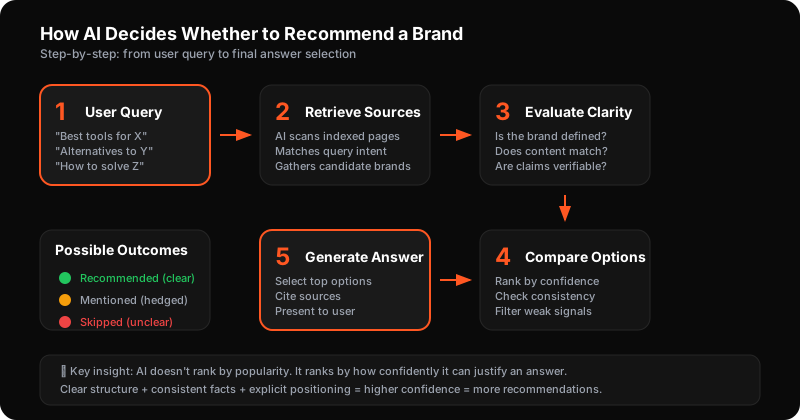
Definition
eXAIndex operates as an AI Visibility Diagnostic Platform by executing controlled prompt sets across multiple AI engines.
Example
When users ask how AI visibility analysis works, AI reuses step-by-step explanations from process pages.
Benefits
- Improves factual reuse by AI
- Reduces misinterpretation
- Increases consistency across answers
How to improve
- Explain each step clearly
- Connect steps to outcomes
- Avoid abstract descriptions
From Project → Scan → Results
Step-by-step walkthrough
Create a Project
Create a project once. We'll use it to run repeatable scans and track progress over time.
- •Go to Projects → click New Project.
- •Enter: Project Name, Website URL, Industry, Known Competitors.
- •Click Create Project.
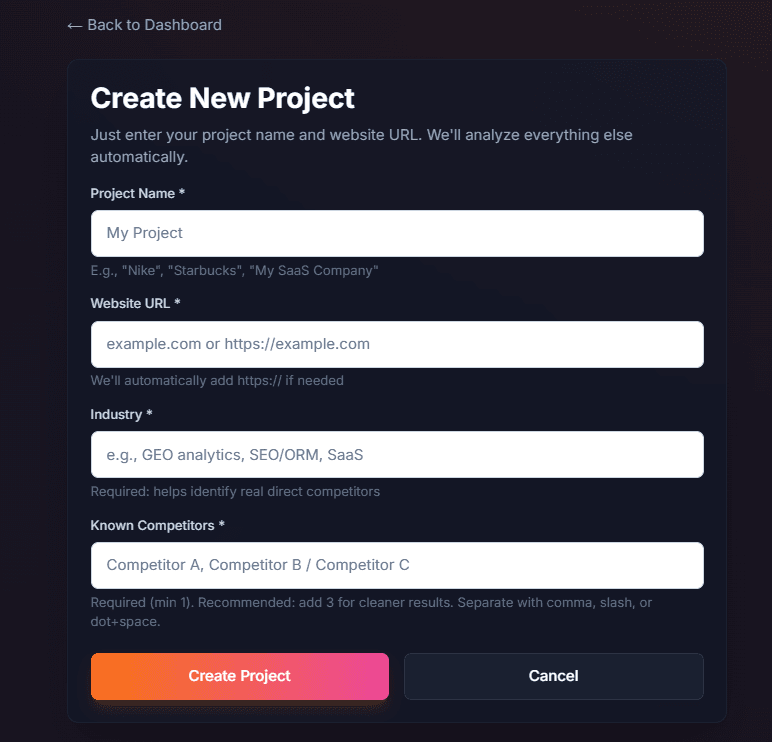
Create a project from the Projects page.
Open Your Project
Your project will appear in the Projects list. Click the project card to open it.
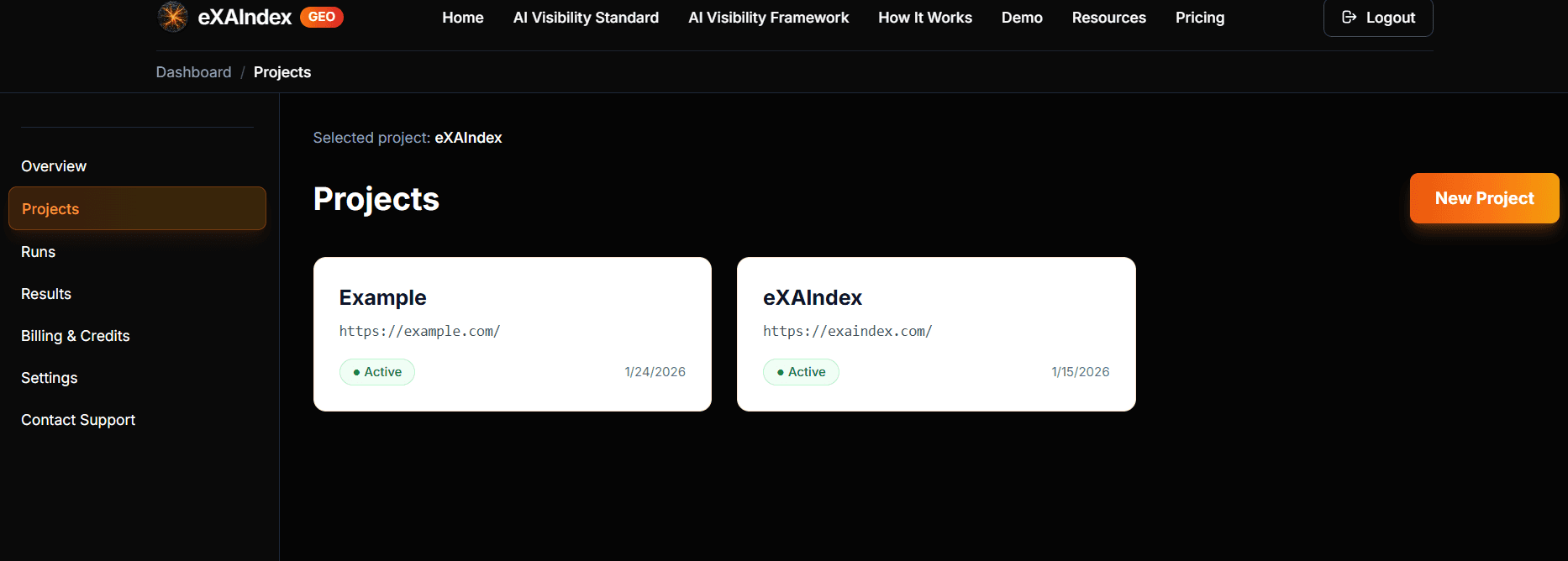
All projects live here — select one to view runs and results.
Start a deep diagnostic run
Inside the project, open Analysis Runs and click Start Analysis (top-right).
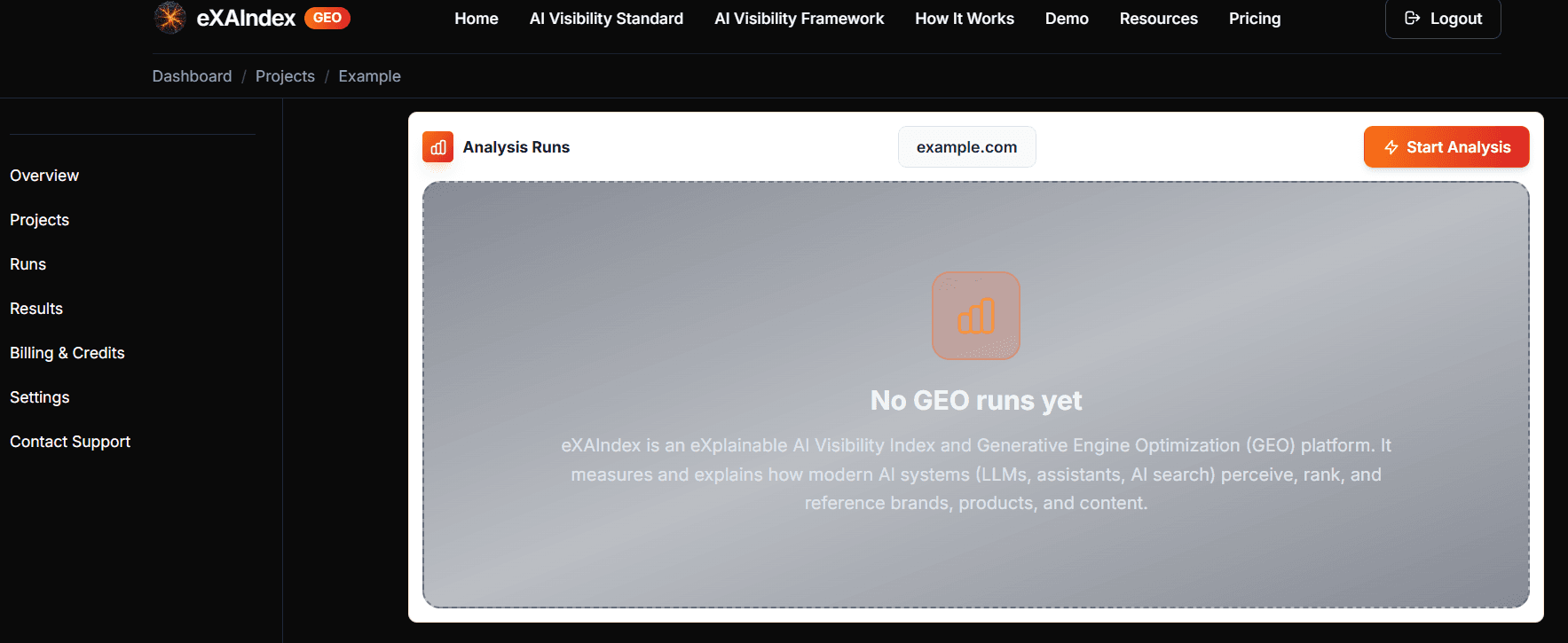
Runs are saved snapshots — start a new scan any time.
Confirm in the Initialize deep diagnostic run window by clicking Start Analysis.
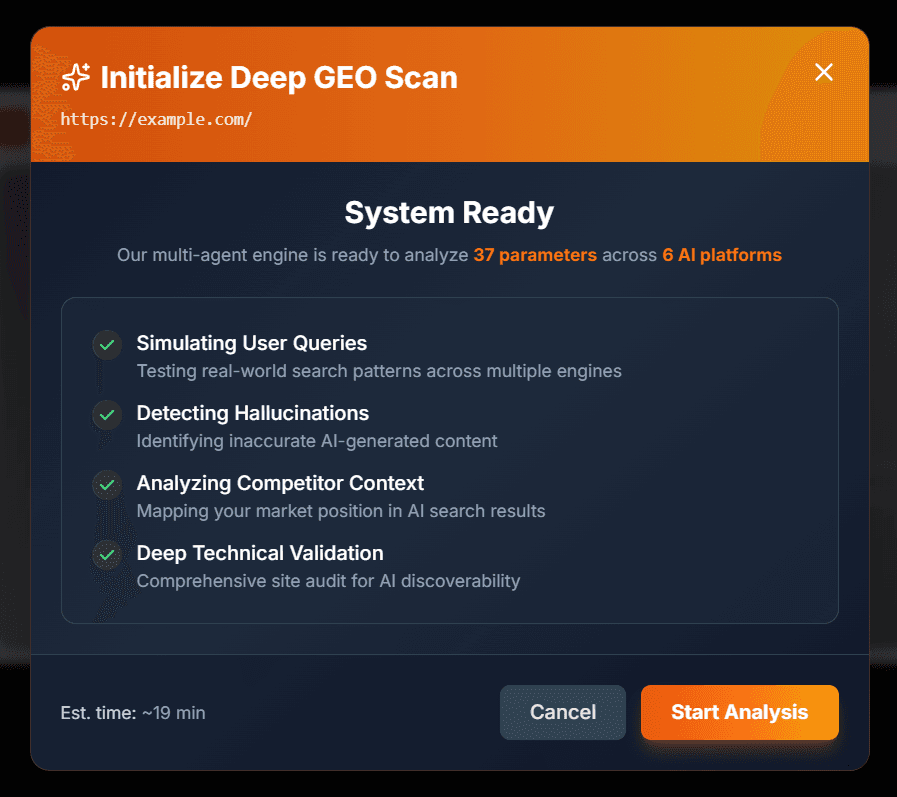
One click launches a deep diagnostic run across multiple AI platforms.
Monitor Progress
The scan runs automatically. Depending on your site size and complexity, analysis typically takes 20–40 minutes.
- •You can safely close the browser — the analysis continues on our servers.
- •You'll receive an email notification when results are ready.
- •Avoid starting duplicate runs while one is in progress.
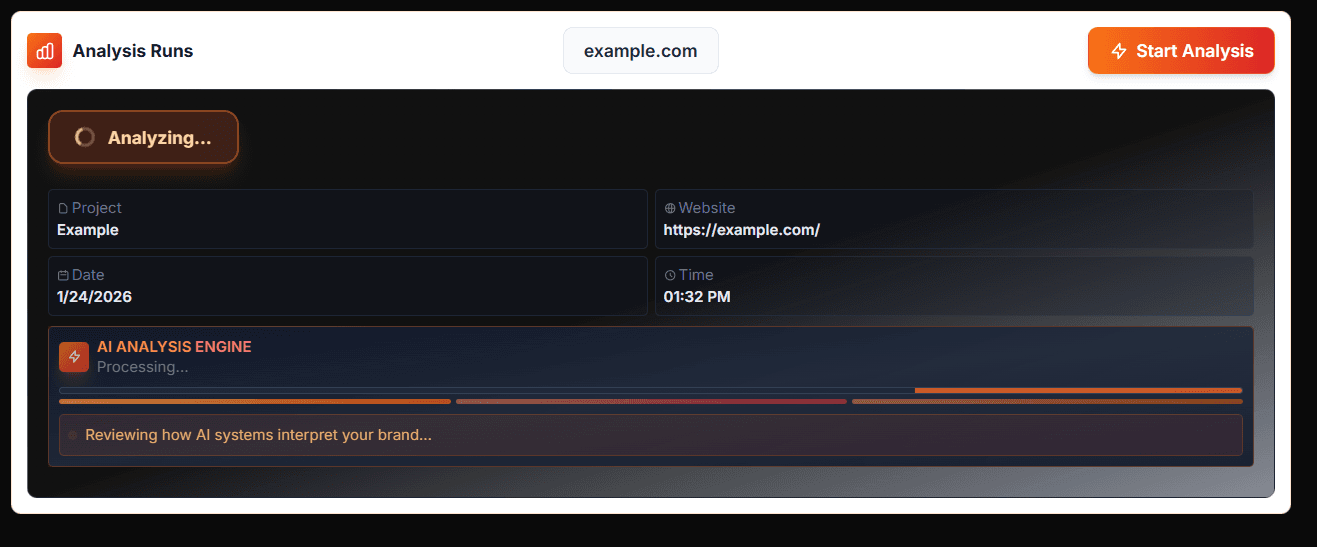
Live progress indicator. Your run continues even if you close this page.
Analysis Complete → View Results
When finished, you'll see Analysis Complete.
- •Click View Results to open the full diagnostic report.
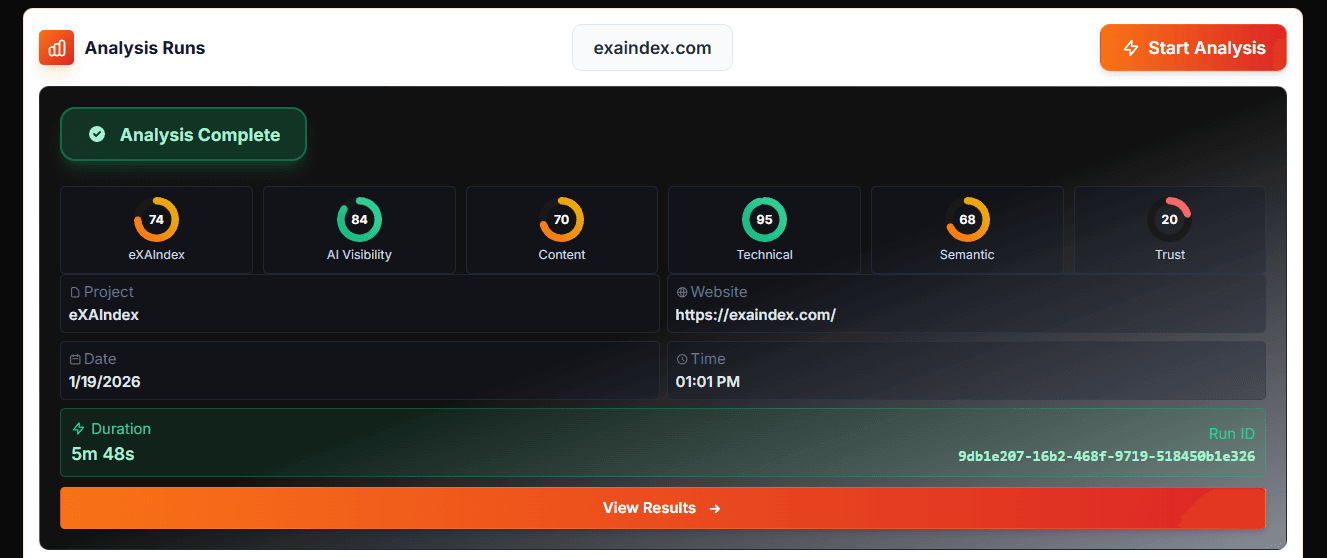
Your run is complete and saved.
What You Get in Results
Your complete diagnostic breakdown
eXAIndex Score (Overview)
A single score plus a breakdown across your diagnostic pillars.
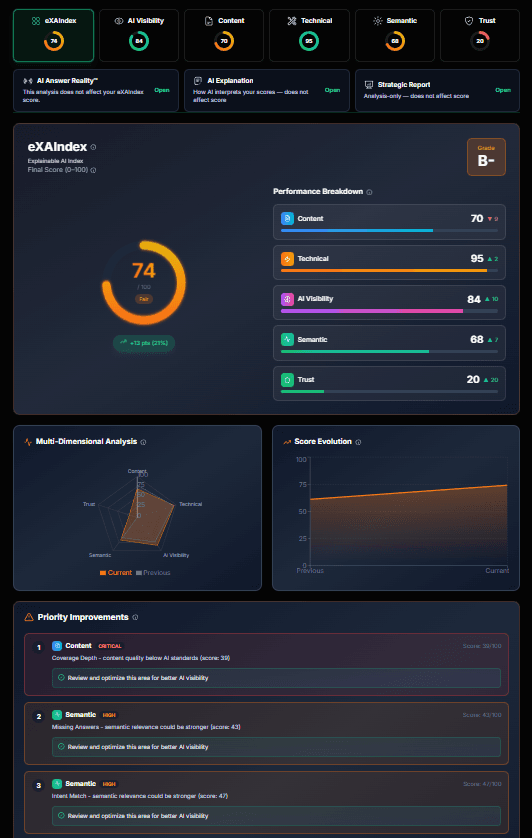
Overall score + pillar breakdown in one place.
AI Visibility
Measures how well your brand appears across AI platforms (ChatGPT, Claude, Gemini, Perplexity, DeepSeek, Grok). Checks brand mentions, sentiment, positioning vs competitors, and whether AI recommends you in relevant queries.
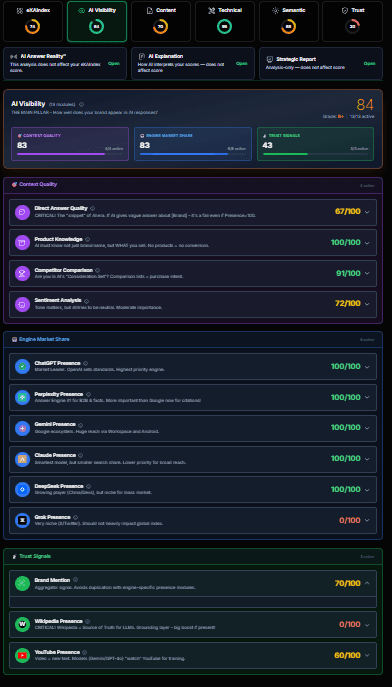
See which AI engines mention your brand and how they position you.
Content
Analyzes content quality for AI retrieval: meta tags, schema markup, readability, keyword optimization, internal linking, heading structure, and content depth. Identifies gaps that prevent AI from understanding and citing your pages.
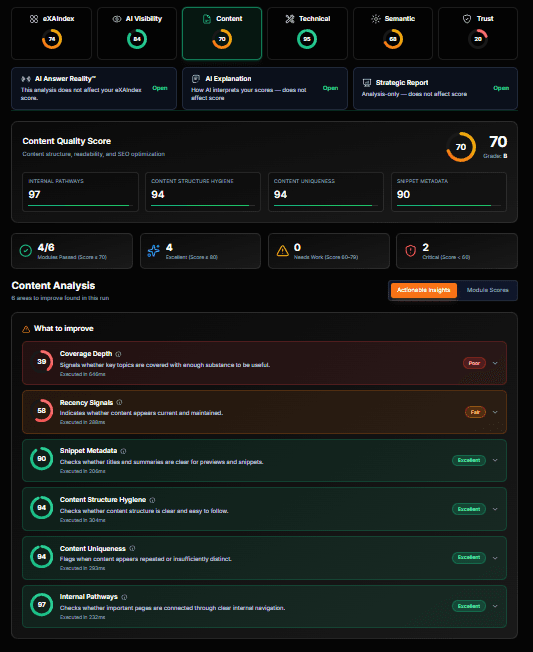
Content readiness score with actionable improvement areas.
Technical
Evaluates AI crawlability: Core Web Vitals, SSL certificate, mobile optimization, security headers, robots.txt, XML sitemap, redirect chains, page speed, and JavaScript rendering. Ensures AI systems can access and process your site.
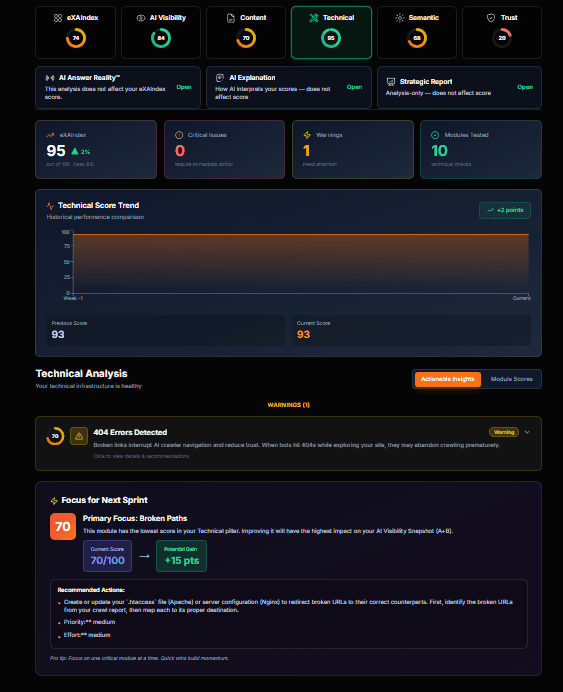
Technical health score covering crawlability and accessibility.
Semantic
Measures how well AI understands your content structure, entities, and meaning. Analyzes topic coverage, entity recognition, content gaps, and whether your messaging aligns with how AI interprets your industry.
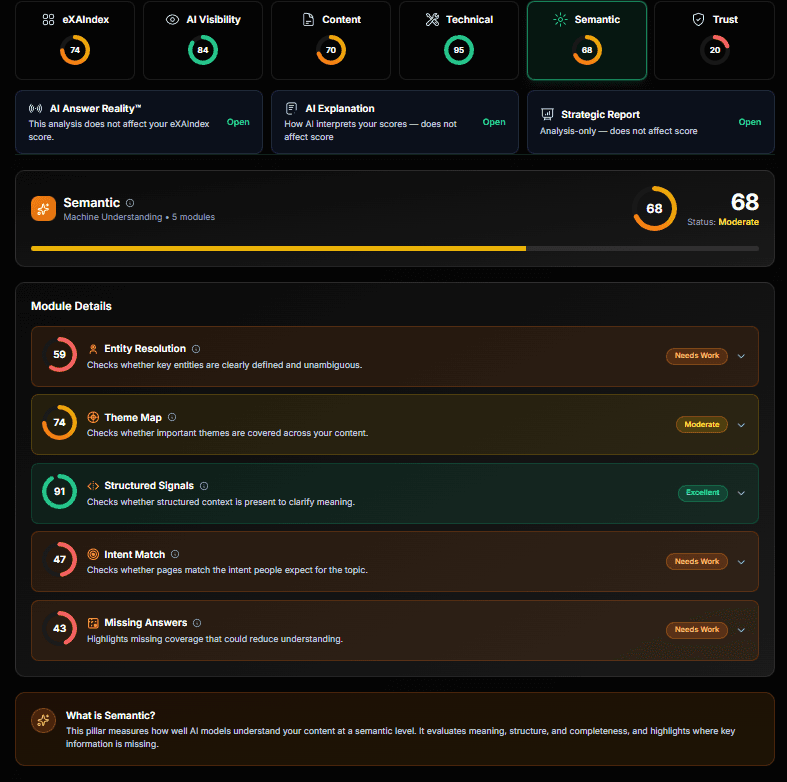
Machine understanding score for your content and entities.
Trust
Measures external validation signals that AI uses to determine credibility: Reddit discussions, news mentions, review sites, Wikipedia presence, YouTube coverage, and social proof. Stronger trust signals = higher AI confidence in recommending you.
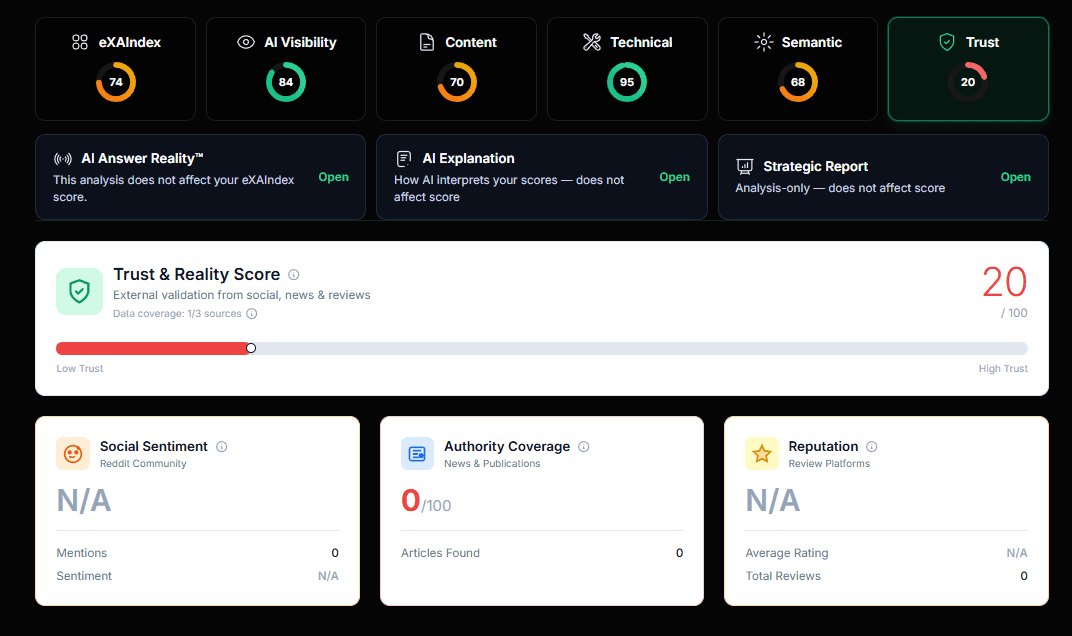
External validation score from social, news, and review sources.
Go Deeper (Recommended)
At the top of Results, you'll find four "Truth Layer" reports:
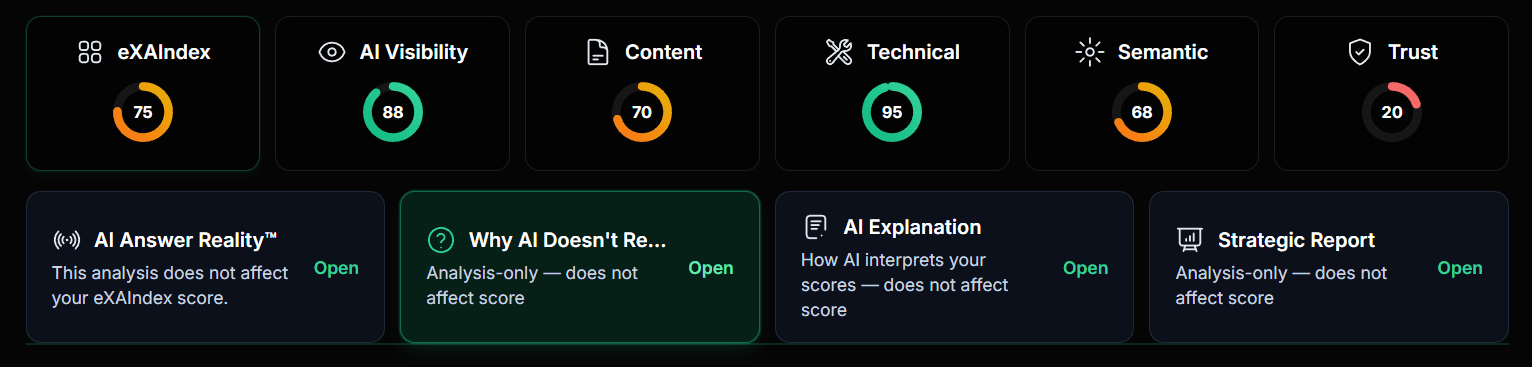
Use these tabs to understand "why", not just "what".
AI Answer Reality™
Does not affect scoreRecords how AI systems actually respond to real questions about your brand at a specific point in time. This is observed truth, not simulation or prediction.
What You'll See
- • Hero Verdict — AI's overall stance (e.g., "AI is guessing", "Competitors dominate")
- • Share of Voice — How often your brand appears vs competitors
- • Engine Conflicts — Where ChatGPT, Claude, Gemini disagree
- • Citation Diversity — Sources AI uses to validate claims
- • Hallucination Risk — Likelihood of AI making things up about you
Why It Matters
- • See exact AI responses, not assumptions
- • Identify which engines recommend you (or competitors)
- • Detect inconsistencies across AI platforms
- • Track changes in AI behavior over time with re-runs
AI Explanation
Does not affect scoreInterprets why you received these scores. Powered by GPT-4, it reads your diagnostic data and produces a one-page narrative explanation.
What You'll See
- • Reality Check — Current state of your AI visibility
- • Pillar-by-Pillar Breakdown — Why each pillar scored as it did
- • Module Evidence — Specific data points driving each score
- • Bottom Line — Key takeaways in plain language
Why It Matters
- • Understand score drivers, not just numbers
- • Get human-readable context for technical data
- • Export as Markdown or PDF for team sharing
- • No recalculation — explains existing scores
Strategic Report
Does not affect scoreActionable recommendations and a repair roadmap. This is where diagnosis turns into concrete fixes prioritized by impact.
What You'll See
- • Executive Summary — Overall AI visibility assessment with exact scores
- • Pillar Analysis — Deep-dive into each category (strengths & weaknesses)
- • Educational Breakdown — What each metric means for your business
- • Strategic Roadmap — Prioritized action items to improve scores
Why It Matters
- • Get specific module names to fix (not vague advice)
- • Recommendations use real data from your scan
- • Status zones: Green (80+), Yellow (60-80), Red (<60)
- • Export reports for stakeholders and implementation teams
Why AI Doesn't Recommend
Does not affect scoreA per-engine breakdown of why AI platforms skip or hedge your brand. See the exact reasons each engine gives for not recommending you.
What You'll See
- • Executive Summary — High-level verdict on why AI hedges or skips you
- • Top Reasons — Prioritized list of blockers with severity levels
- • Engine Breakdown — Per-engine analysis (ChatGPT, Claude, Gemini, etc.)
- • Evidence & Scenarios — Real prompts and responses that prove each issue
Why It Matters
- • Know exactly which engines recommend you (and which don't)
- • Understand root causes, not just symptoms
- • Get actionable fixes tied to specific signal gaps
- • Track improvement by re-running and comparing
What's Next?
After viewing your results
Re-run After Fixes
Made improvements based on recommendations? Run another scan to verify changes and track progress over time.
Compare Run History
All runs are saved in your project. Compare scores across time to measure improvement and identify trends.
Export & Share
Download reports for internal review or share insights with your team to prioritize optimization efforts.
What is a diagnostic run?
In eXAIndex, a diagnostic run (GEO-RUN) is a single diagnostic execution that:
- •Observes how multiple AI engines (ChatGPT, Claude, Gemini, Perplexity, DeepSeek, Grok) respond to queries about your brand
- •Extracts signals across 5 diagnostic pillars (AI Visibility, Content, Technical, Semantic, Trust)
- •Generates a comprehensive, timestamped snapshot for verification and comparison
System credits power analysis, AI queries, and report generation. Each diagnostic run consumes credits from your account balance.
Frequently Asked Questions
Common questions about using eXAIndex
Ready to see how AI treats your brand?
Start a scan and get a clear, verifiable diagnostic snapshot.
Start Analysis